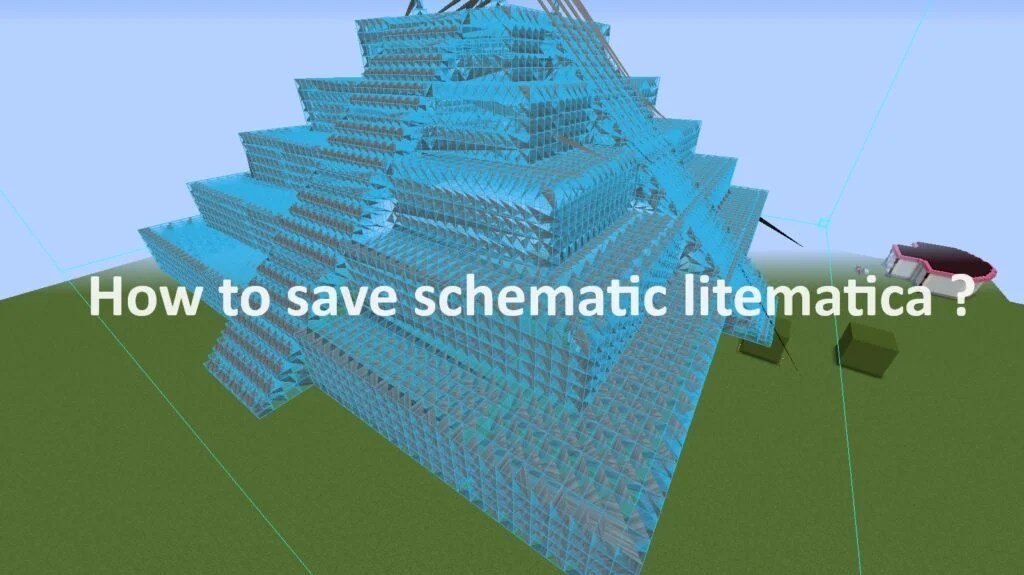
When you're building in Minecraft, especially ambitious projects or intricate redstone contraptions, a simple blueprint isn't enough. You need a dynamic, intelligent system that guides your hand, manages your materials, and even fixes common pitfalls before they become problems. This is where Advanced Litematica 1.21.8 Manipulations & Tools truly shine, transforming your creative process from tedious block-by-block placement into an efficient, almost seamless workflow.
Litematica has always been a game-changer for architects and engineers in Minecraft, offering unparalleled control over schematic placement and verification. But with version 1.21.8, the mod introduces a suite of refinements and powerful new tools that elevate your building game, letting you tackle complex structures with precision, speed, and newfound peace of mind.
At a Glance: Litematica 1.21.8's Advanced Edge
- Crystal Clear Visuals: Reverted
renderThroughfor selection and schematic verifier ensures you always see exactly what you're working on without visual clutter. - Flawless Entity Handling: Say goodbye to broken entity passengers in your schematics—pigs on minecarts, villagers in boats, all now transfer accurately.
- Robust Stability: Enhanced checks prevent loading issues from
NULLvalues or corrupted schematic files, ensuring your builds are always ready. - Seamless Mod Integration: Experimental
SchematicPickBlock Event Handleropens the door for powerful compatibility with tools like ItemSwapper, supercharging your material workflow. - Intuitive Feedback: Improved Info Overlay and Selection Box visuals provide more immediate and useful information during your build.
- Global Accessibility: Updated i18n languages make Litematica more accessible to builders worldwide.
Beyond the Basics: Why Litematica 1.21.8 Elevates Your Craft
Litematica, primarily built for Fabric (and LiteLoader on 1.12.x), fundamentally reshapes how you interact with blueprints in Minecraft's Creative mode. It’s not just about overlaying a ghost image; it’s about a comprehensive toolkit that guides block placement, manages material lists, and even verifies your progress against the original design. This mod empowers you to recreate complex builds with astounding accuracy, whether you're replicating a colossal castle or debugging an intricate redstone computer.
The 1.21.8 update refines this core experience, focusing on stability, visual clarity, and crucial quality-of-life improvements that directly impact advanced use cases. These aren't just minor bug fixes; they are strategic enhancements that address long-standing pain points for builders pushing the boundaries of what's possible in Minecraft. From ensuring your complex redstone contraptions with moving parts transfer perfectly to making your material gathering more efficient, Litematica 1.21.8 is engineered to streamline every stage of your creative process.
Precision Placement and Selection: Mastering Your Blueprint
The foundation of any advanced Litematica workflow lies in your ability to precisely define, manipulate, and place schematics. Version 1.21.8 brings subtle yet impactful changes that make these fundamental operations even more robust and intuitive.
Fine-Tuning Your Selection Box with 1.21.8's Visuals
Your selection box is the canvas for your schematic, and seeing it clearly is paramount. Previous versions sometimes struggled with renderThrough issues, making it difficult to discern the selection box's boundaries or the schematic's ghost blocks through existing terrain. Litematica 1.21.8 reverts changes to renderThrough for both the selection box and the schematic verifier. This seemingly small tweak means fewer visual distractions and a clearer understanding of your schematic's placement, especially when working in dense environments or trying to align intricate patterns.
Imagine trying to select a complex redstone layout embedded within a larger build. With enhanced visual clarity, you can precisely define the corners of your selection, expanding or contracting it block by block without guesswork. This level of visual fidelity, further bolstered by general improvements from MaLiLib updates, allows for more confident and accurate manipulation, reducing the frustrating back-and-forth adjustments often needed in prior versions. It's about ensuring what you see on screen perfectly reflects the boundaries of your intended schematic.
Placement Modes: Building Smarter, Not Harder
Litematica offers several placement modes, each tailored for different building scenarios:
- Normal: Places blocks only where the schematic specifies a block and the world has air.
- Accurate: Places blocks only where the schematic specifies a block and the world has air, and removes blocks where the schematic has air and the world has a block.
- Exact: Attempts to match the schematic perfectly, placing and removing blocks as needed, even if the world has a different block type.
The 1.21.8 updates, while not directly introducing new modes, improve the underlying stability that supports these modes. For instance, when you're usingExactmode to transplant a complex structure, the fixes related to entity passengers ensure that those entities (like armor stands, item frames, or even technical blocks like spawners) are correctly handled during the entire process. This reduces the need for manual corrections post-placement, saving valuable time and ensuring structural integrity. Understanding understanding Litematica's various placement modes is crucial for maximizing efficiency. By selecting the right mode for your task, combined with the improved reliability of 1.21.8, you can execute elaborate builds with significantly fewer errors.
The Unseen Depths: Handling Entities and Dynamic Structures
Perhaps one of the most significant advancements in Litematica 1.21.8 lies in its refined handling of entities within schematics. For any builder working with redstone, mob farms, or detailed interiors, this improvement is a game-changer.
Solving the Entity Passenger Puzzle
Before 1.21.8, a common frustration for advanced builders was the inconsistent handling of entity passengers. Picture this: you've designed an ingenious minecart system with a pig riding in one of the carts (perhaps for an automated farm or a unique aesthetic). You create a schematic, place it, and find the pig simply vanished or was incorrectly placed. This was due to issues with how Litematica managed entities riding other entities within the schematic data.
Version 1.21.8 directly addresses this by "fixing entity passenger issues in schematics, like a pig riding in a minecart." This means that when you capture a schematic containing a "pig riding in a minecart," or a "villager in a boat," or even complex multi-entity setups like a custom armor stand posing on a specific block, they will now reliably transfer as part of your schematic.
Implications for Advanced Builds:
- Redstone Contraptions: Many advanced redstone builds rely on precise entity placement, such as armor stands triggering pressure plates, or minecarts interacting with detectors. This fix ensures your redstone components, when involving entities, are replicated perfectly.
- Mob Farms: Capturing and deploying efficient mob farms that utilize specific mob positioning (e.g., spiders on walls, mobs in water streams) becomes far more reliable.
- Decorations and Art: Custom armor stand poses, item frames on specific blocks, and other entity-based decorations will now be accurately preserved and placed, eliminating the need for tedious manual re-creation.
- Technical Builds: Any contraption relying on "jockeyed" entities (entities riding other entities) will now be schematic-friendly, opening up new possibilities for complex, pre-designed technical modules.
This fix alone makes 1.21.8 indispensable for builders who regularly incorporate entities into their designs, transforming a previous headache into a seamless part of the workflow.
Integrating Schematic Captures with Advanced Logic
Capturing a schematic is more than just selecting blocks; it's about preserving the state of a build. With the improved entity handling, mastering schematic creation now extends to dynamic elements. You can now reliably capture:
- Redstone Circuits with Power States: While Litematica usually captures static states, the accurate entity placement ensures any entity-dependent components are correctly positioned.
- Complex Machinery: Capture entire sections of a factory or farm, including any interactive elements or trapped entities, knowing they will reappear correctly.
- Player-Defined Scenarios: If you create a scene with specific entity interactions, 1.21.8 helps ensure that scene can be easily replicated.
This pushes Litematica beyond a static blueprint tool, enabling it to better handle the semi-dynamic nature of Minecraft builds, particularly those leveraging entities for function or aesthetics.
Optimized Workflows: Material Management and Mod Compatibility
Efficiency is paramount for large-scale projects. Litematica 1.21.8 brings forward improvements that streamline your material gathering and open doors for powerful new mod integrations, significantly cutting down on tedious inventory management.
Streamlining Material Gathering: The Info Overlay and Material List
Litematica's Material List feature is a powerhouse for resource management. It generates a comprehensive list of every block and item needed to complete your schematic, even indicating what's currently in your inventory or storage. With 1.21.8, the "improvements to Info Overlay" and "visual Selection Box" (via MaLiLib updates) indirectly enhance this process.
Imagine working on a massive build. The clearer Info Overlay can provide real-time updates on your progress and material needs without obscuring your view. A more visually distinct selection box helps you accurately define what part of the schematic you're currently focusing on for material gathering. This allows you to:
- Prioritize Materials: Filter the material list to focus on specific block types or stages of your build.
- Track Progress Visually: As you place blocks, the Info Overlay can show completion percentages or remaining blocks, letting you know when to check your material list again.
- Pre-Plan Resources: Before you even start building, generate a material list and use it as a shopping list for your resource-gathering trips.
For those dedicated to maximizing efficiency, optimizing your material gathering with Litematica's features is key. These subtle visual and functional updates in 1.21.8 contribute to a smoother, less interrupted building flow, letting you spend less time inventory managing and more time actually building.
Experimental Integrations: ItemSwapper and Beyond
One of the most exciting, albeit experimental, additions in 1.21.8 is the new SchematicPickBlock Event Handler and the getPickedItemHandSlotNoSwap function. These features are specifically designed for enhanced compatibility with other mods, notably ItemSwapper.
What does this mean for you?
- ItemSwapper Integration: If you use a mod like ItemSwapper to rapidly switch between blocks in your hotbar, Litematica can now communicate more intelligently with it. The
SchematicPickBlock Event Handlerallows Litematica to "suggest" which item you should be holding based on the schematic, and ItemSwapper can then instantly equip it. This eliminates the manual hotbar scrolling or inventory opening, dramatically speeding up block placement. - Faster, Context-Aware Building: Imagine building a complex wall pattern that alternates between several block types. Litematica, through this new event handler, can automatically guide your hotbar selections, making the process incredibly fluid. The
getPickedItemHandSlotNoSwapfunction is crucial here, as it allows Litematica to get the intended slot ID without actually forcing a swap, providing the necessary information for compatibility mods without disruptive behavior. - Future-Proofing Workflows: While currently experimental and focused on ItemSwapper, this opens the door for Litematica to integrate with a wider range of quality-of-life mods. It hints at a future where your building tools work together in a highly synchronized fashion, anticipating your next move.
Beyond this, the update also includes "updates to various i18n languages," making Litematica more accessible and user-friendly for a global community of builders. This commitment to internationalization ensures that advanced tools are available to everyone, regardless of their native language.
Troubleshooting Advanced Litematica Scenarios
Even with the most robust tools, unexpected issues can arise. Litematica 1.21.8 includes fixes and improvements that directly address common advanced troubleshooting scenarios, providing you with a more stable and reliable platform.
"My schematic looks wrong!" (Verifier & Visual Bugs)
Sometimes, despite your best efforts, your placed blocks don't match the schematic, or the schematic's ghost image itself appears distorted. This can be frustrating, especially when dealing with intricate designs.
- The Verifier is Your Friend: Litematica's schematic verifier is an invaluable tool. It highlights discrepancies between your placed blocks and the schematic's blueprint. With 1.21.8's "reverted
renderThroughfor the selection box and schematic verifier," the verifier's visual feedback is now much clearer. You can more easily spot misplacements or missing blocks, even through dense environmental clutter. - MaLiLib Visual Fixes: The "Info Overlay and Selection Box visual improvements through MaLiLib updates" directly contribute to a cleaner, more accurate visual representation. If your schematic looks "wrong," first ensure you have the correct placement mode selected, then use the verifier. The improved visuals in 1.21.8 make this diagnostic step significantly more effective. Always check your rotation and mirroring settings, too—these are common culprits for "wrong" looking schematics.
"My schematic won't load!" (File Integrity)
Nothing is more disheartening than a painstakingly crafted schematic failing to load. This often points to issues with the schematic file itself, which can be caused by various factors, including corruption or incomplete data.
Litematica 1.21.8 tackles this with "extra checks for NULL values and unreadable files in SchematicHolder.java and LitematicaSchematic.java." This means:
- Enhanced Stability: The mod is now more resilient against malformed or partially corrupted schematic files. Instead of crashing or simply failing silently, it's better equipped to identify and handle these issues gracefully.
- Preventing Data Loss: By performing these checks, 1.21.8 reduces the likelihood of loading a problematic schematic that might cause further issues or even data loss. While it won't magically repair a severely corrupted file, it's better at identifying problematic ones before they cause system instability.
- Clearer Error Feedback: While not explicitly stated, improved error handling often leads to more informative messages if a file cannot be read, giving you a better clue as to why your schematic isn't loading.
These backend stability improvements are crucial for advanced users who frequently manage large libraries of schematics or collaborate on projects where file integrity can become an issue.
Beyond the Blueprint: Strategic Uses for Master Builders
Litematica, especially with the 1.21.8 enhancements, offers a strategic advantage that extends far beyond simple block placement. It becomes a critical tool for master builders tackling monumental projects or highly technical designs.
Rapid Prototyping and Iteration
In the world of complex builds, especially redstone, trial and error is part of the process. Litematica allows for rapid prototyping by letting you "ghost" a design, test it, and then instantly clear or replace it with an iterated version. With the entity handling improvements in 1.21.8, you can now prototype dynamic components involving entities with greater confidence. Build a redstone contraption with specific mob mechanics, capture it, place it, test it, then make adjustments in your test world and recapture—all without committing to permanent block placements. This accelerates your design cycle dramatically.
Collaborative Projects and Standardization
When working with a team, consistency is key. Litematica 1.21.8 allows you to standardize modules or entire build sections, ensuring everyone on the team is building to the exact specifications. Share schematics, and every team member gets the same precise blueprint, including now accurately handled entities. The improved visual clarity aids in ensuring everyone sees the schematic exactly as intended, reducing miscommunication. This is particularly useful for large-scale server builds where multiple people contribute to different sections of a grand design.
Server-Side Building and Migration (with caution)
While primarily a client-side mod, Litematica can significantly aid in server-side building. You can design locally, perfect your schematics, and then use the overlays on a server to build with precision. Some server administrators might even allow for specific integrations or client-side mods. The enhanced stability and entity handling in 1.21.8 mean that once your build is complete, it's more likely to function as intended on the server, requiring fewer post-deployment fixes. Always ensure you're aware of server rules regarding mods and building practices. For an even deeper dive into this version's specifics and its overall capabilities, you can always Learn more about Litematica 1.21.8.
Elevating Your Minecraft Builds with Litematica 1.21.8
Litematica 1.21.8 isn't just another incremental update; it’s a strategic refinement that empowers the discerning Minecraft builder to achieve unprecedented levels of precision, efficiency, and creativity. By addressing long-standing issues like entity passenger handling, enhancing visual clarity, and laying the groundwork for seamless mod integrations, this version solidifies Litematica's position as an indispensable tool for anyone serious about their Minecraft constructions.
Whether you're a redstone engineer perfecting complex mechanisms, an architect bringing grand visions to life, or a technical player optimizing farms, the advanced manipulations and tools in Litematica 1.21.8 provide the reliability and control you need. Embrace these enhancements, integrate them into your workflow, and watch as your most ambitious projects come together faster, more accurately, and with far less frustration than ever before. Your next masterpiece awaits—and Litematica 1.21.8 is ready to guide your hand.